
In today’s digital world, documents are no longer limited to paper. Students, professionals, and businesses rely heavily on digital documents for communication, collaboration, and record-keeping. However, editing PDFs has often been considered difficult without specialized tools.
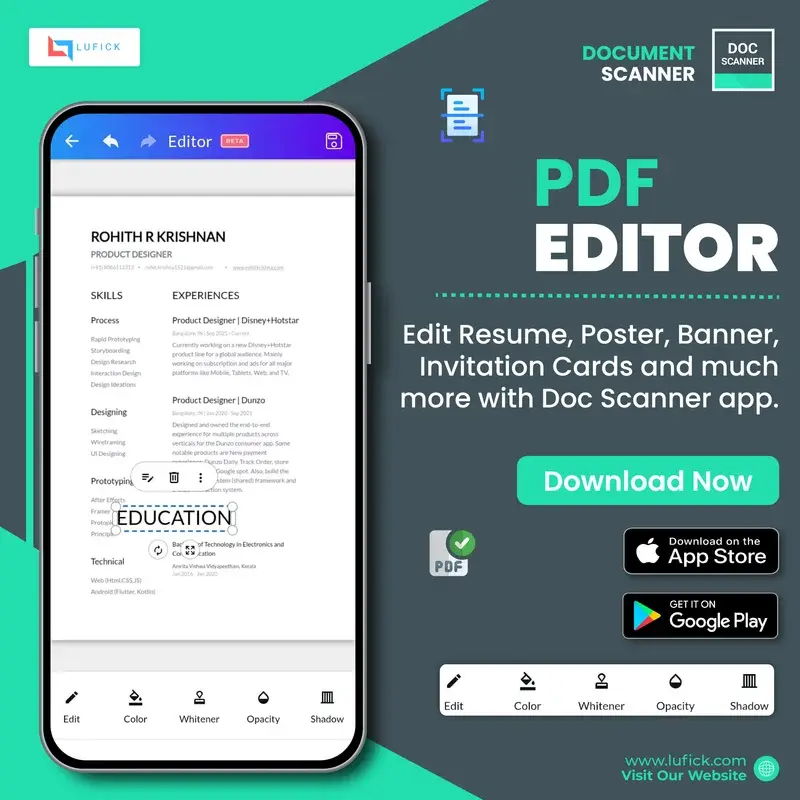
That’s where our Document Scanner App’s powerful PDF Editor comes in. Designed to make document management simple and efficient, the PDF Editor allows users to modify, enhance, and personalize their PDFs directly from their device.
Let’s explore how this feature helps both students and professionals in their daily tasks.
Powerful PDF Editing Made Simple
Our PDF Editor allows users to easily modify their documents without needing complicated software. Whether you want to make small corrections or add important details, the editing tools give you full control over your document.
With just a few taps, you can update text and refine your document to ensure it looks professional and accurate.
This makes document editing faster, easier, and more convenient than ever before.
Add Signatures Instantly
Signing documents digitally has become a necessity in today’s remote and fast-paced environment. Our Add Signature feature allows users to quickly sign documents without printing or scanning them again.
Users can:
- Create and save their digital signature
- Insert signatures into contracts, forms, or agreements
- Sign documents instantly from anywhere
How it helps professionals
Professionals often deal with contracts, approvals, and agreements. With digital signatures, they can finalize documents instantly and keep workflows moving smoothly.
How it helps students
Students frequently need to sign assignment declarations, internship forms, and academic documents. With this feature, they can sign and submit documents quickly without hassle.
Protect Documents with Watermarks
Another useful feature of the PDF Editor is the ability to add watermarks to your documents.
Watermarks help users:
- Protect intellectual property
- Mark documents as confidential
- Add branding such as company names or logos
Benefits for professionals
Businesses can add their company watermark to official documents, reports, proposals, and presentations to maintain branding and prevent misuse.
Benefits for students
Students can protect their projects, research papers, or creative work by adding personal watermarks before sharing them online.
Annotate and Customize Documents
The PDF Editor also allows users to enhance their documents with additional tools such as:
- Highlighting important sections
- Adding notes
- Marking key points for easy review
- Editing content before sharing
- These tools help improve clarity and make collaboration easier
Save Time and Increase Productivity
Instead of switching between multiple applications, our Document Scanner App allows users to scan, edit, and manage documents all in one place.
This means you can:
- Scan documents instantly
- Edit them using the built-in PDF Editor
- Add signatures and watermarks
- Share documents securely
- Everything happens within one powerful and easy-to-use application
Perfect for Students and Professionals
Our PDF Editor is designed to support a wide range of users.
For Students
- Edit assignments and notes
- Sign academic forms
- Highlight study materials
- Protect research work with watermarks
For Professionals
- Sign contracts and agreements
- Edit business documents quickly
- Add company branding with watermarks
- Collaborate on reports and proposals
Final Thoughts
Managing documents should be simple, fast, and secure. With our Document Scanner App’s PDF Editor, users get powerful tools that make editing PDFs effortless. Whether you’re a student managing assignments or a professional handling business documents, our PDF Editor helps you stay productive and organized.
Start editing smarter and experience the convenience of an all-in-one document management solution today.
Available on Play Store and Apple Store.
PlayStore- https://play.google.com/store/apps/details?id=com.cv.docscanner